The choice between a standalone vs PC VR headset comes down to one honest question: do you want to plug in and play in five minutes, or do you want to build a rig that pushes the best looking VR games on the planet? A standalone headset like the Meta Quest 3 carries its own computer inside, so you charge it and go. A PC VR setup runs off a gaming computer that does the heavy lifting and sends the image to the headset, which buys you sharper visuals and games a phone chip simply can’t handle.
I’m Blake, a dad who’s played location based VR at more than fifty venues, and I’ve watched a lot of families overspend on this exact decision. Some buy a monster gaming PC they never needed. Others grab a cheap headset and feel let down when their favorite arcade game has no home equivalent. Let me lay out what each path really costs, what it gives you, and how both compare to the operator grade rigs you probably fell in love with at a venue.
The core difference
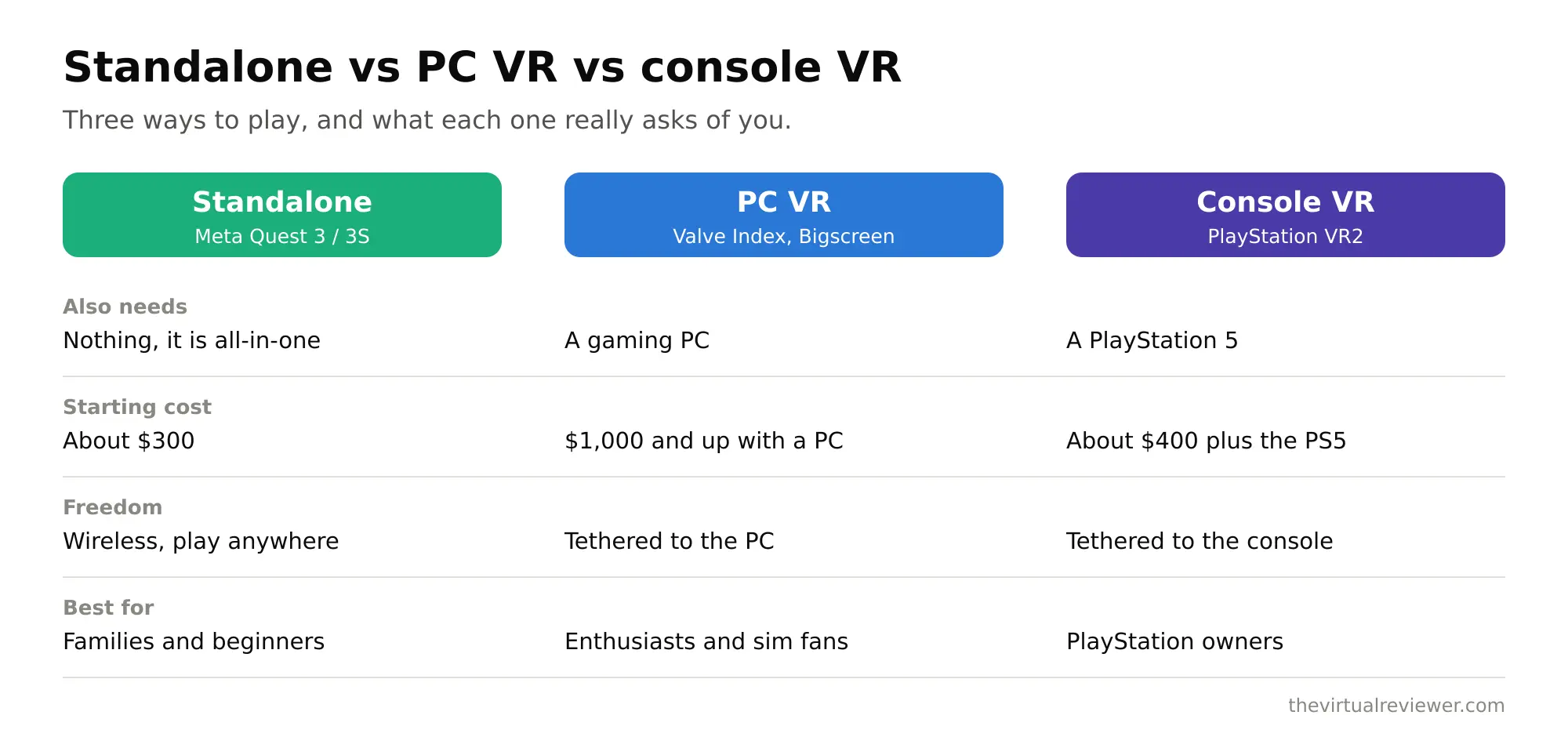
A standalone headset has everything built in: a mobile processor, storage, battery, and its own app store. No wires, no computer, no setup beyond drawing a play boundary. The Quest 3 and Quest 3S both run Meta’s full library this way.
A PC VR headset is, in a sense, a fancy monitor for your gaming PC. The computer renders the game at high fidelity and pipes it over. That means you need to own or buy a capable PC, but you unlock resolutions, frame rates, and titles that no standalone chip can match. Some headsets do both, and that flexibility matters more than most buyers realize.
Here’s the part people miss. The most popular “PC VR” headset in 2026 is actually the Quest 3, because it works standalone and also connects to a gaming PC over Wi-Fi for SteamVR. So this isn’t always an either/or. Plenty of families start standalone and add PC power later.
Standalone vs PC VR: quick comparison
| Factor | Standalone (Quest 3 / 3S) | PC VR (Beyond 2, Crystal Light, Steam Frame) |
|---|---|---|
| Needs a gaming PC | No | Yes (or a PC-capable headset) |
| Starting price | 299 dollars (3S) to 499 dollars (Quest 3) | 899 to 1,019 dollars headset, plus the PC |
| Setup time | Minutes, out of the box | Longer, drivers and a capable PC |
| Visual fidelity | Very good, limited by mobile chip | Best in class, GPU driven |
| Game library | Largest in VR, plus mixed reality | Half-Life: Alyx and demanding PC titles |
| Portability | High, take it anywhere | Low, tethered to the PC space |
| Best for | Families, casual and social VR | Sim racing, flight, graphics enthusiasts |
What standalone does brilliantly
For most families, standalone is the right answer, and I’ll say that plainly. The Quest 3 at 499 dollars uses a Snapdragon XR2 Gen 2, sharp pancake lenses, an LCD panel at 2,064 by 2,208 pixels per eye, and useful color passthrough so you can see your room. The Quest 3S drops the price to 299 dollars, runs the exact same library on the same chip, and only really gives up the fancier lenses and a bit of sharpness at the edges.
Why standalone wins for households:
- Zero friction. Kids can pick it up and play without you booting a PC or untangling cables.
- It travels. Take it to grandma’s house, on vacation, wherever.
- Mixed reality. Color passthrough lets games blend into your living room, which is genuinely fun for family play.
- Biggest library. The Meta store has the deepest catalog of active, family friendly VR titles.
- One price. No hidden 1,200 dollar computer lurking behind the sticker.
Standalone’s limit is physics. The chip inside has to sip power and stay cool, so it throttles resolution and effects. Big, graphically ambitious games get simplified or never arrive. That’s the ceiling PC VR exists to break.
What PC VR gives you that standalone cannot
If fidelity is the whole point, PC VR is where you go. Games like Half-Life: Alyx could never run on a standalone chip, because the onboard processor caps resolution and detail to save power and heat. A gaming PC removes that cap and drives the headset with a real GPU.
The trade is money and space. Enthusiast headsets are built around clarity and frame stability. The Bigscreen Beyond 2 runs about 1,019 dollars. The Pimax Crystal Light runs about 899 dollars. And that’s before the PC, which for smooth VR usually means a serious graphics card. Add it up and you are well past a thousand dollars, often past two thousand once the computer is counted.
Where PC VR earns it:
- Sim racing and flight. Angular resolution and rock steady frame timing matter enormously here, and these headsets are tuned for it.
- Maximum sharpness. Reading gauges, spotting distant detail, no mushy edges.
- The demanding library. SteamVR’s heaviest, best looking titles run the way they were meant to.
The newcomer to watch is Valve’s Steam Frame, arriving spring 2026. It pairs a Snapdragon 8 Gen 3, pancake lenses, LCD panels at 2,160 by 2,160 per eye, 72 to 144Hz, 16GB of RAM, and eye tracking. Rumors put it around 1,200 dollars. It’s designed to blur the standalone and PC VR line by streaming your Steam library, though at that price it’s squarely an enthusiast pick, not the family starter.
The arcade lens: how home VR compares to a real venue
Here’s the perspective most gadget sites skip. Neither a standalone headset nor a home PC VR rig recreates a full location based VR experience, and it helps to know why before you spend.
When you played at a place like Fixation VR in Dallas or roamed a free roam arena at EVA Esports, you had a large tracked space, sometimes a backpack PC, sometimes a haptic vest, and staff running operator grade equipment. That’s a whole warehouse tuned for one thing. Your living room isn’t that.
So which home path gets you closest to that arcade feeling? Honestly, standalone gets you the movement and the immersion for the least hassle, which is why I point most venue fans there first. You can walk a room scale boundary, swing, duck, and dodge on a Quest 3 with no wires. PC VR gets you closer on visual fidelity and the heaviest games, but it doesn’t magically give you a warehouse or a haptic vest.
If what you loved at the venue was the sheer scale of free roam, keep visiting venues for that. If what you loved was being inside a game and moving your body, a standalone Quest 3 delivers a big slice of that at home for 499 dollars, and you can bolt on PC power later when a specific game demands it.
How to pick
Run through this quickly.
- Do you already own a gaming PC with a strong graphics card? If yes, PC VR is on the table cheaply, since you only buy the headset. If no, factor the full computer cost before you consider it.
- Who is playing? Kids and casual family nights point hard toward standalone. A dedicated sim racer or graphics enthusiast points toward PC VR.
- What do you want to play? If your list is mainstream VR games, fitness, and social apps, standalone covers it. If it’s Half-Life: Alyx and the heaviest SteamVR titles at max clarity, you need PC VR.
- Budget honesty. A Quest 3S at 299 dollars is the lowest cost way into real VR. A full PC VR setup realistically runs many times that. Do not let a 899 dollar headset price hide the computer behind it.
My default advice for a family: start with a Quest 3, or a Quest 3S if money is tight. It’s standalone, it connects to a PC later over Wi-Fi for SteamVR when you want more, and it gets used because it’s easy. Enthusiasts who know exactly why they want maximum fidelity already know they want PC VR.
FAQ
Do I need a PC to use a VR headset?
No. Standalone headsets like the Meta Quest 3 and Quest 3S run games on their own with no computer. You only need a PC if you want high fidelity PC VR titles or a headset like the Bigscreen Beyond 2 that is PC-only.
Is standalone VR good enough, or should I get PC VR?
For most families, standalone is genuinely good enough and far simpler. Choose PC VR only if you care about maximum visual clarity, sim racing and flight, or the most demanding SteamVR games that a mobile chip cannot run.
Can the Quest 3 do both standalone and PC VR?
Yes. The Quest 3 works fully standalone and also connects to a gaming PC over Wi-Fi for SteamVR. That flexibility is a big reason it is one of the most recommended headsets in 2026.
How much does a PC VR setup really cost?
The headset alone runs roughly 899 to 1,019 dollars for popular enthusiast models, and the rumored Steam Frame lands around 1,200 dollars. Add a capable gaming PC and the total commonly passes 1,500 to 2,000 dollars.
Which is closest to the arcade VR I loved?
Standalone gets you closest for the least trouble, because you get room scale movement and immersion with no wires. But no home setup matches a full location based venue with its large tracked space and haptic gear, so keep visiting for that scale.
The bottom line
Standalone vs PC VR headset really sorts itself once you are honest about money, space, and who is playing. Standalone, led by the Quest 3 and the cheaper Quest 3S, is the easy, family friendly, take-anywhere choice, and it can grow into PC VR later. PC VR, from the Bigscreen Beyond 2 to the Pimax Crystal Light to the incoming Steam Frame, is the enthusiast lane for people who want the sharpest, heaviest games and already have or will build the computer to feed them.
Not sure VR belongs in your home yet? Try the real thing first. Our reviews and city guides at The Virtual Reviewer homepage can point you to a venue near you before you buy anything.