Shopping for the best smart glasses 2026 has on shelves? I want to save you from the same confusion I hit. “Smart glasses” now means two totally different products that happen to sit on your face. One kind has a camera and a voice assistant but nothing in your field of view. The other puts a giant floating screen right in front of your eyes. They cost about the same, they look similar in photos, and buying the wrong one is an easy mistake.
I have spent years playing full-body VR at real venues with Patty, John, and Jenette, so I come at this from the immersion side. Glasses are the opposite of a free-roam arena. Nobody is strapping a haptic vest on you at Sandbox VR to check the weather. But the two worlds are converging, and after digging through 2026 launches and reviewer testing, here is how I would sort the current lineup for a normal family budget.
The one fork in the road: camera or screen?
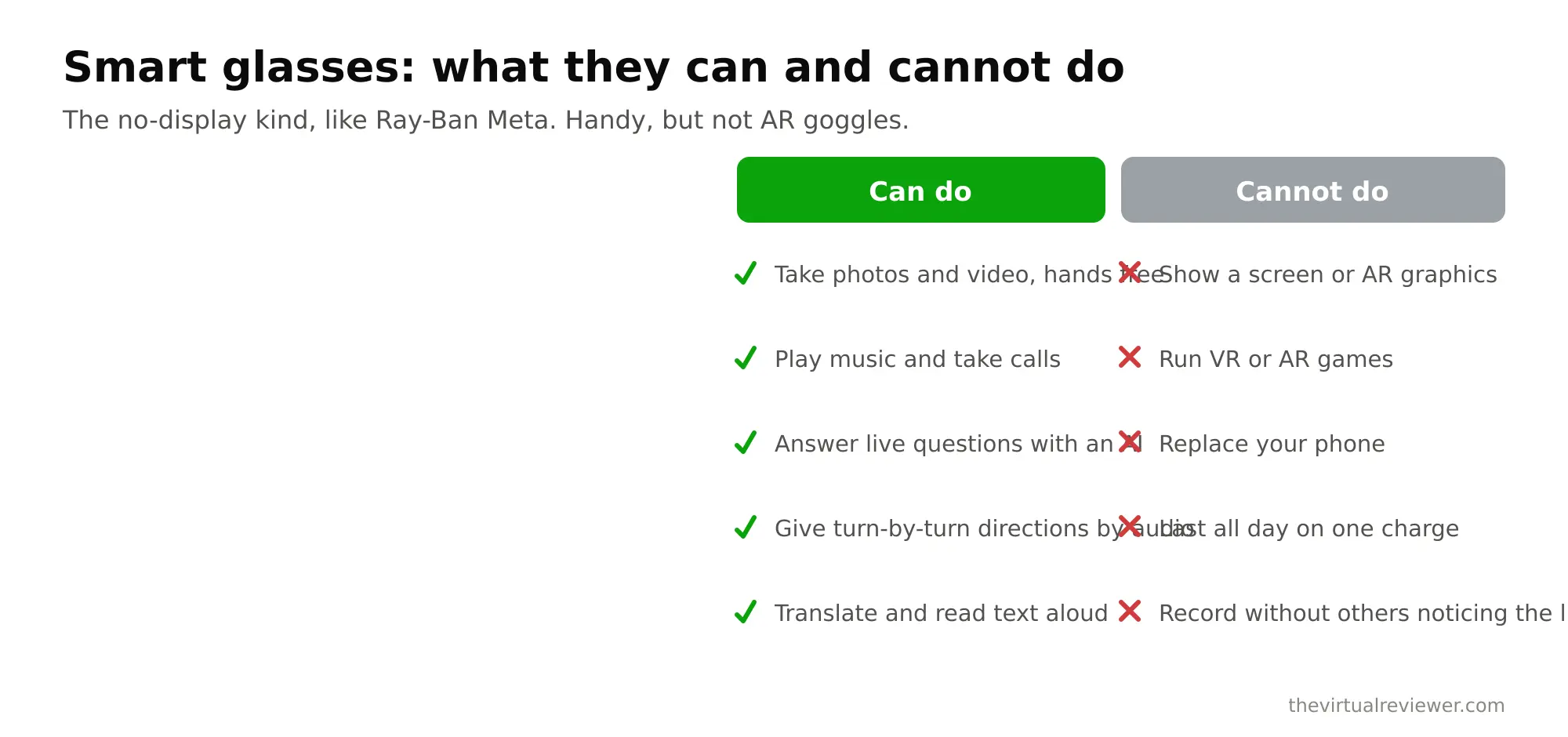
Every buying decision starts here.
AI and camera glasses (Ray-Ban Meta, Oakley Meta Vanguard) look like regular eyewear. They have a camera, open-ear speakers, microphones, and an AI assistant you talk to. There is no display in the lens. You use them to capture photos and video hands-free, take calls, listen to music, and ask questions out loud.
Display glasses (Xreal One Pro, Viture Luma Pro, Viture Beast) put a bright virtual monitor in front of you. You plug them into a phone, a laptop, a Steam Deck, or a console, and you get a private big screen for movies, games, and work. Most have no standalone camera and no AI. They are a screen you wear.
Neither of these is full VR. You are not walking around a virtual world. If that is what you fell in love with at an arcade, a headset is still the answer, and I get into that across The Virtual Reviewer. Glasses are for everyday life with a little tech layered on top.
Quick comparison table
| Model | Type | Display | Price (verify) | Battery | Best for |
|---|---|---|---|---|---|
| Ray-Ban Meta (Gen 2) | AI / camera | None | From $379 | ~8 hrs + 48 hr case | Everyday wear, hands-free capture |
| Oakley Meta Vanguard | AI / camera | None | $499 | ~9 hrs + 36 hr case | Sports, cycling, running |
| Xreal One Pro | Display | 0.55″ Micro-OLED, 57 FOV, 700 nits | ~$599 | Powered by host | Travel screen, head tracking |
| Viture Luma Pro | Display | 1200p, 52 FOV, 1000 nits | ~$499 | Powered by host | Bright image, value |
| Viture Beast | Display | 1200p, 58 FOV, 1250 nits | Verify (CES 2026) | Powered by host | Best image quality |
Prices move fast in this category, so treat these as a starting point and confirm current pricing before you buy. I flag the specifics in the Sources section below.
The AI and camera glasses: Ray-Ban Meta and Oakley
If you want a camera on your face and glasses that actually pass as glasses, the Meta family is the pick right now, and it is not close.
The Ray-Ban Meta (Gen 2) is the mainstream choice. It starts at $379 for the Headliner style, with Wayfarer and Skyler versions running closer to $409. The Gen 2 roughly doubles the battery life of the original and shoots up to 3K video from the on-frame camera. Reviewers keep landing on the same point: this is the only camera-glasses family that consistently reads as normal eyewear instead of a gadget. You get open-ear audio, hands-free photos and clips, calls, and the Meta AI assistant you can talk to.
The Oakley Meta Vanguard is the sport version, built on an Oakley athletic frame with a flat $499 price. It centers the 3K camera in the frame and pushes battery life to around 9 hours, which is aimed squarely at runners and cyclists who want to capture a ride without a chest mount. If you are active outdoors, this is the one to look at. If you mostly want good-looking daily glasses, the Ray-Ban is the better value.
What none of these do: show you a screen. There is no video floating in your vision. That trips people up constantly, so I will say it twice. Camera glasses capture the world. They do not display one back to you.
The display glasses: Xreal, Viture, and the Beast
This is the group that feels closest to the VR I love, because you actually see an image. Plug them into your device and a large virtual screen appears in front of you.
The Xreal One Pro is the head-tracking and travel pick at around $599. It runs a custom X1 chip, a 0.55-inch Sony Micro-OLED per eye, a 57-degree field of view, up to 700 nits of brightness, and Sound by Bose. The X1 chip anchors the virtual screen in space so it stays put when you turn your head, which is the feature that sells it for airplane and couch use. On a plane, this is a private theater that nobody next to you can see.
The Viture Luma Pro undercuts it at around $499 and comes out swinging on image quality. It runs a 1200p panel, a 52-degree field of view, and a brighter 1000 nits, with HARMAN-tuned audio. Reviewers who compared the two often preferred the Luma Pro’s picture and value, giving up a little field of view and Xreal’s tracking polish to save $100. For movies and gaming on a Steam Deck or phone, it is a strong buy.
The Viture Beast is the new flagship shown at CES 2026, and on paper it is the image-quality champion: a perceived 174-inch screen at distance, 1200p Sony Micro-OLED panels, 1250 nits peak brightness, a 58-degree field of view, built-in 3DoF tracking, and electrochromic dimming that darkens the lenses so you can watch in a bright room. If you want the best screen and do not mind paying for it, this is the halo product. Confirm the shipping price and date before you commit, because CES announcements and retail reality do not always match.
So we loved VR at the arcade. Should we buy glasses?
This is the honest answer families ask me for, and it is the one most gadget sites skip. If what your kids loved was strapping into a haptic vest and free-roaming a zombie level together, smart glasses are not that. Not even close. The magic of a venue like EVA Esports or the big arcade floor at Fixation VR is full-body presence, and glasses do not deliver presence. They deliver convenience.
Where glasses shine is the boring, useful stuff a headset is too much for. A private movie screen on a long flight. A second monitor when you are working from a hotel. Hands-free video of the kids at the park without holding up a phone. If that is the job, glasses are great. If the job is “recreate the arena,” it is still a VR headset, and I would rather you keep booking arcade sessions for that feeling than expect a pair of sunglasses to bottle it.
How to pick
- You want a camera and normal-looking glasses: Ray-Ban Meta (Gen 2), from $379.
- You are a runner or cyclist: Oakley Meta Vanguard, $499.
- You want a private travel screen with rock-solid tracking: Xreal One Pro, around $599.
- You want the best screen value: Viture Luma Pro, around $499.
- You want the best image and price is secondary: Viture Beast, verify pricing.
FAQ
Do any of these smart glasses show a screen you can see through the lens?
Only the display glasses do. Xreal One Pro, Viture Luma Pro, and Viture Beast project a virtual monitor into your view. Ray-Ban Meta and Oakley Meta Vanguard have no in-lens display at all. They are camera and audio glasses.
Are Ray-Ban Meta glasses full augmented reality?
No. Despite the “AI glasses” label, the current Ray-Ban Meta has no display, so it cannot overlay graphics onto the world. It captures video and answers questions with voice. Meta has shown display prototypes, but the mainstream Gen 2 you can buy today is camera and audio only.
Can smart glasses replace my VR headset?
For immersive gaming, no. Display glasses give you a big screen but not the room-scale, motion-tracked presence of a headset or a free-roam venue. They are a different tool. Many people own both.
Do display glasses need to be plugged into something?
Yes. Xreal and Viture display glasses run off a connected phone, laptop, console, or handheld like a Steam Deck. They pull power and video from the host device rather than running fully on their own.
Which is the best value for a family in 2026?
For everyday use, the Ray-Ban Meta (Gen 2) at $379 is the easiest recommendation. For a shared entertainment screen, the Viture Luma Pro around $499 gives the most image quality per dollar. Confirm current prices before buying, since this category discounts often.
The bottom line
The best smart glasses 2026 pick depends entirely on that first fork. Want a camera and glasses that look like glasses? Buy a Ray-Ban Meta today, or the Oakley Vanguard if you are sporty. Want a wearable big screen? The Viture Luma Pro wins on value, the Xreal One Pro wins on tracking, and the Viture Beast wins on raw image. Just go in knowing what you are actually buying, because the label “smart glasses” hides two very different products. And if what you really miss is the arena feeling, you already know where I stand: keep that as a VR headset or a venue night, and let the glasses handle real life.