VR motion sickness happens when your eyes and your inner ear disagree about if you are moving, and the good news is that most of the causes have real, practical fixes. If you have ever put on a headset, walked forward with the thumbstick, and felt your stomach flip, you are not broken and you are not too sensitive. Your brain is doing exactly what millions of years of evolution taught it to do. I have felt it myself, and I have watched my wife Patty go a little green during her first session, so I have spent real time figuring out what actually helps.
In this guide I will explain what causes VR motion sickness, walk you through the comfort settings and habits that reduce it, and show you how most people build a tolerance in a few weeks. By the end you should be able to load a headset with a plan instead of a prayer.
The fixes at a glance
| Cause | What it is | The fix |
|---|---|---|
| Sensory conflict | Eyes see motion, inner ear feels none | Start with seated or stationary games |
| Artificial locomotion | Smooth walking with a thumbstick | Use teleport or snap turning |
| Low framerate | Choppy image the brain rejects | Use a headset running 90 to 120 Hz |
| Acceleration | Speeding up and slowing down feels worst | Prefer constant-speed games, avoid elevators and jumps early |
| Poor fit and wrong IPD | Blurry optics strain the eyes | Adjust fit and set IPD correctly |
| Overheating | Getting hot makes nausea worse | Point a fan at your face |
| Long sessions too soon | Pushing past your limit | Short sessions, build up gradually |
What actually causes VR motion sickness
At its core, VR motion sickness, sometimes called cybersickness, comes from sensory conflict. Your visual system sees you moving through a virtual world, but your vestibular system, the balance sensors in your inner ear, feels you sitting still. Your body has one main explanation for that mismatch from its evolutionary past: poison. So it triggers the same response it would to a toxin, which is nausea, dizziness, eye strain, and disorientation. That is why the queasy feeling can seem to come out of nowhere.
A few things reliably make it worse. Acceleration is harder on your system than constant speed, so a car cruising at a steady pace bothers most people far less than one that keeps speeding up and slowing down. Vertical motion is especially rough, which is why elevators, jumping, and falling trigger some of the strongest nausea. And a low or choppy framerate makes everything worse, because the brain rejects an image that does not track smoothly with your head.
Understanding this is not just trivia. Once you know the triggers, the fixes stop feeling random and start making sense.
Fix number one: pick the right games first
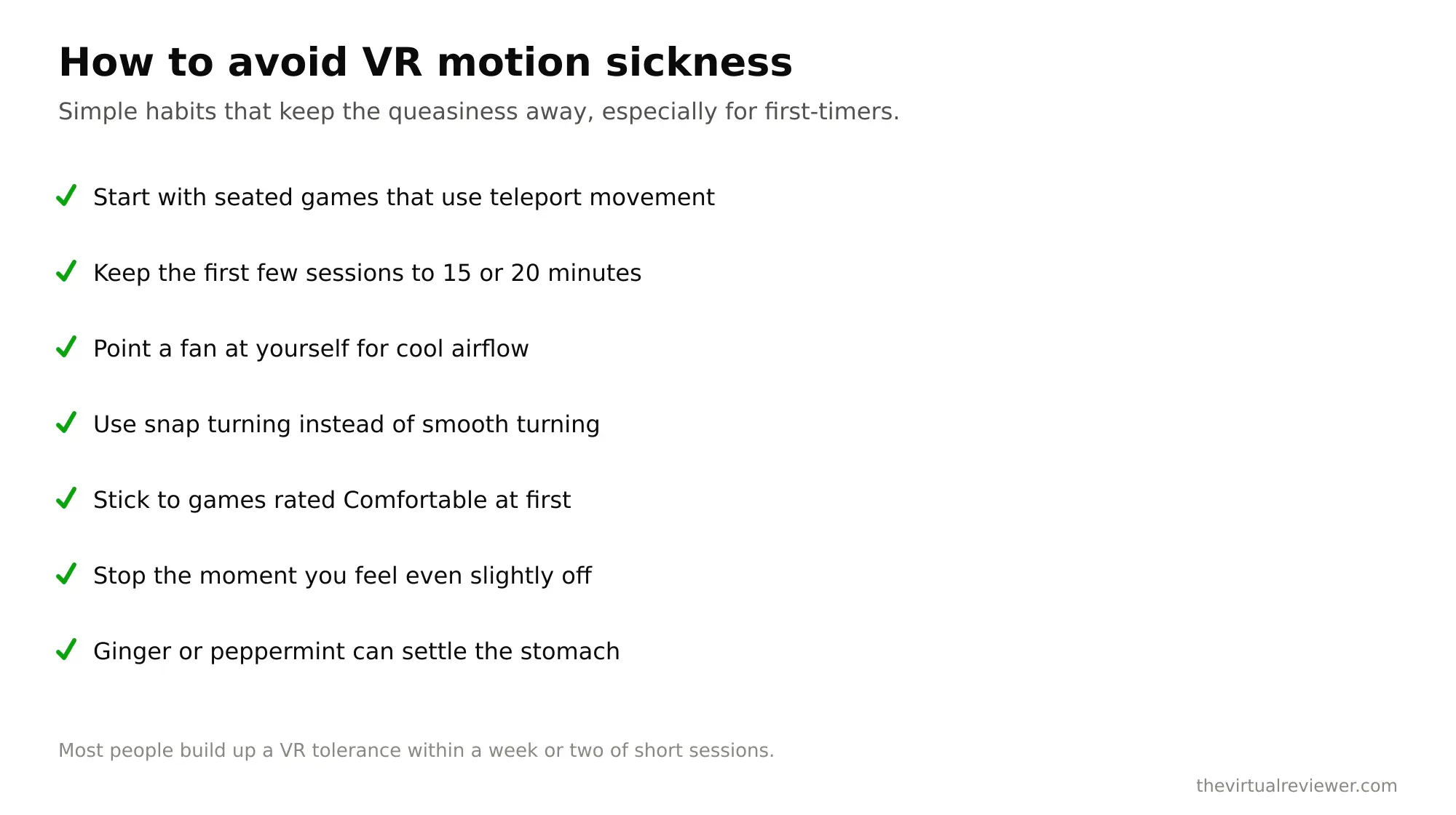
The single fastest way to avoid VR motion sickness is to not provoke it while your body is still adjusting. Start with seated or stationary experiences, things like cockpit games, rhythm games, puzzle rooms, and shooters where you stand in place. Racing and flight sims are a great starting point precisely because you sit still in real life, so your body and eyes agree. Save the games with smooth free-roam walking for later, once you have a few sessions under your belt.
Fix number two: use the comfort settings
Modern VR software gives you real tools, and I would turn them on from day one. Many apps offer comfort presets: low with minimal help, medium with some vignetting and snap turns, and high with aggressive vignetting and teleport only. Start high, then dial it back as you adjust. The three settings that matter most are these.
Teleportation locomotion lets you point at a spot and instantly appear there, which skips the smooth motion that triggers sickness. Snap turning rotates your view in discrete 30 or 45-degree steps instead of smoothly panning, and that discrete jump is far gentler on your inner ear than a smooth spin. Comfort vignetting, sometimes called tunneling, temporarily narrows your peripheral vision during artificial movement, which cuts the conflicting motion cues at the edges of your view where your brain is most sensitive to them. Research and years of player experience both show vignetting reduces sickness with only a small hit to immersion.
Fix number three: get the hardware right
Some of the biggest gains come before the game even starts. Framerate matters enormously. Headsets running at 120 Hz, like a Quest 3 or a Valve Index at its higher modes, are noticeably more comfortable than older headsets stuck at 72 to 90 Hz. A smoother image gives your brain less to reject.
Fit and IPD are just as important and often ignored. IPD is the distance between your pupils, and if the headset’s lenses do not line up with your eyes, the picture goes soft and your eyes strain to compensate. That strain feeds discomfort completely separately from motion. So take a minute to adjust the strap for a snug, level fit and set the IPD correctly. If your headset has manual IPD adjustment, use it. If it is software based, run the setup.
Fix number four: the simple physical tricks
These sound almost too easy, but they genuinely help. Point a fan at your face while you play. The cool air helps regulate your body temperature, and getting hot makes nausea noticeably worse. Some people also find the fan gives a subtle sense of airflow that grounds them. Keep the room cool, stay hydrated, and take the headset off the moment you feel the first hint of queasiness rather than pushing through it. Pushing through does not toughen you up, it just teaches your brain to associate the headset with feeling awful.
Ginger, whether as a chew or a tea, is an old motion-sickness remedy that some players swear by before a session. It is cheap and harmless, so it is worth a try if you are prone to nausea in cars or boats.
Fix number five: build your VR legs
Here is the most hopeful part. Most people adapt. The research suggests that with regular short sessions of about 15 to 30 minutes, most users build a real tolerance within one to three weeks. Some adapt in days, others take four to six weeks, and consistency beats marathon sessions every time. Sailors call it getting your sea legs, and VR is the same idea. Short, frequent, gradual exposure trains your brain to stop treating the sensory mismatch as an emergency.
My advice is to end each session while you still feel fine, not after you feel sick. That keeps the association positive and makes you want to come back tomorrow, which is exactly what builds the tolerance.
The venue angle: why arcade VR rarely makes you sick
Here is something that surprised me the first time I noticed it. At location-based VR venues, I almost never feel the queasiness that home free-roam games can cause, and there is a real reason. In free-roam arcade setups, you physically walk through the space. Your legs actually move, your inner ear actually registers the motion, so the sensory conflict that causes sickness mostly disappears. When we played the free-roam experiences at Sandbox VR and the arena at EVA Esports, your body and your eyes were finally telling the same story.
That is worth remembering if home VR makes you queasy but you still love the idea. The problem is often the artificial thumbstick movement, not VR itself. A free-roam venue sidesteps it entirely, which is one reason I keep pointing people there. You can find more of our venue reviews and device guides on the homepage.
FAQ
Why do I get motion sick in VR but not everyone does?
Sensitivity to sensory conflict varies from person to person, the same way some people get carsick and others never do. It has nothing to do with toughness, and most sensitive users still adapt with practice.
What is the fastest fix for VR nausea?
Switch to teleport movement and snap turning, turn on comfort vignetting, point a fan at your face, and start with seated games. Then take the headset off before you feel sick, not after.
Does VR motion sickness go away over time?
For most people, yes. Regular short sessions build tolerance within one to three weeks, though some take longer. Consistency matters more than session length.
Do more expensive headsets reduce motion sickness?
Higher framerates and better tracking help a lot, so a headset running at 90 to 120 Hz is more comfortable than an older 72 Hz one. Correct IPD and fit matter just as much and cost nothing.
Is it dangerous to push through VR nausea?
It is not physically dangerous, but it is counterproductive. Pushing through trains your brain to link the headset with feeling sick, which slows down your adaptation. Stop early instead.
The bottom line
VR motion sickness is real, but it is beatable. Understand the sensory conflict behind it, start with seated games, lean on teleport and snap turning and vignetting, get your fit and framerate right, point a fan at your face, and build up gradually. Do that and the queasiness fades for most people within a few weeks. And if home locomotion is your particular kryptonite, a free-roam venue where you actually walk is a nausea-free way to fall in love with VR all over again.